



Stock quantities
Keep the quantities for connected products aligned, reducing the need to update each system separately.
Inventory and price synchronisation
Reduce repeated stock and price updates between your store and marketplace account. Liin connects matched products and uses your rules to synchronise their quantities and seller-offer prices.
First workflow in testing: your Salla store and eXtra seller account through Mirakl.
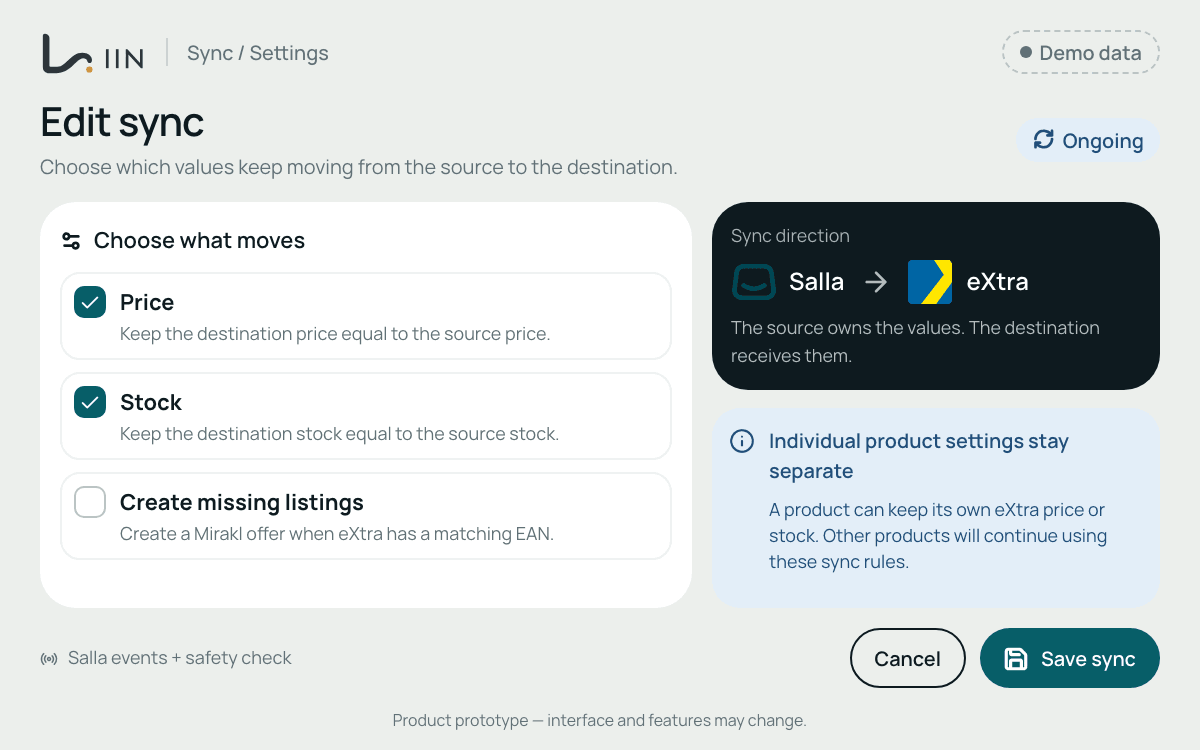
Separate stock records and price updates create more work for your team. When product information is handled independently on each platform, quantities can get out of step and price changes can be missed. Connecting the right items creates a clearer basis for keeping those updates aligned.
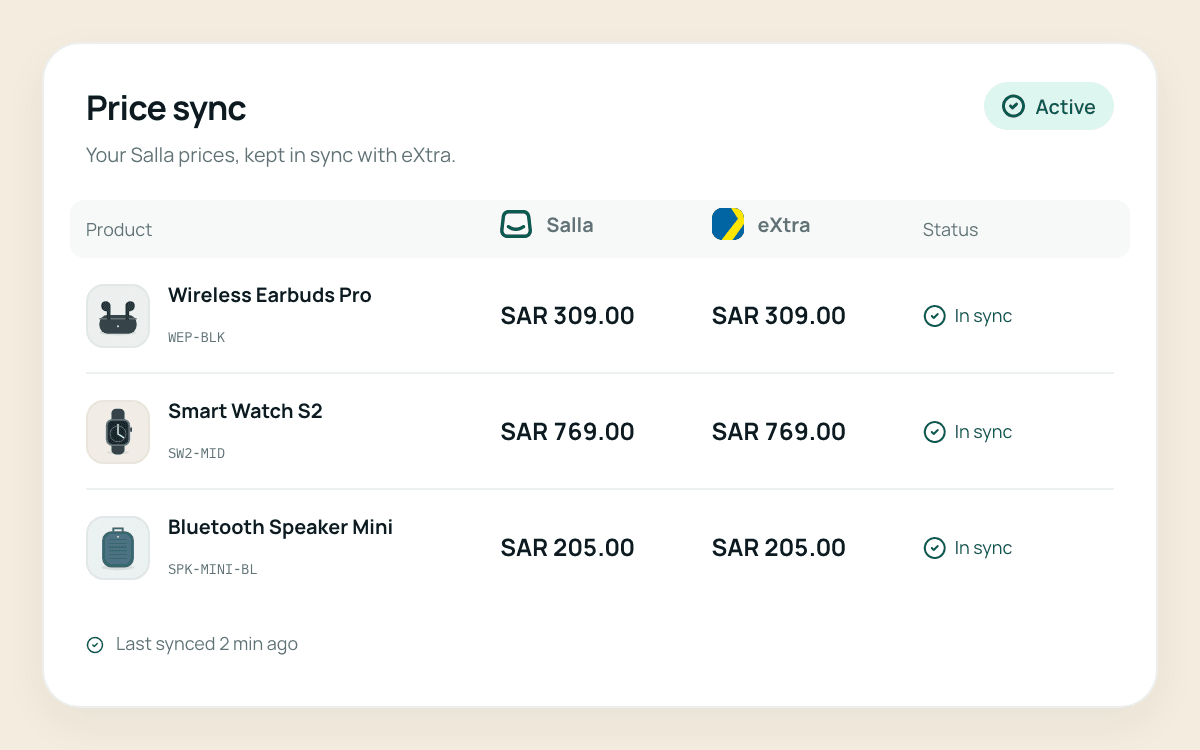
The first Liin workflow synchronises stock and prices according to the seller’s rules. Start with the products you want to connect and review how updates should work between your store and seller account.
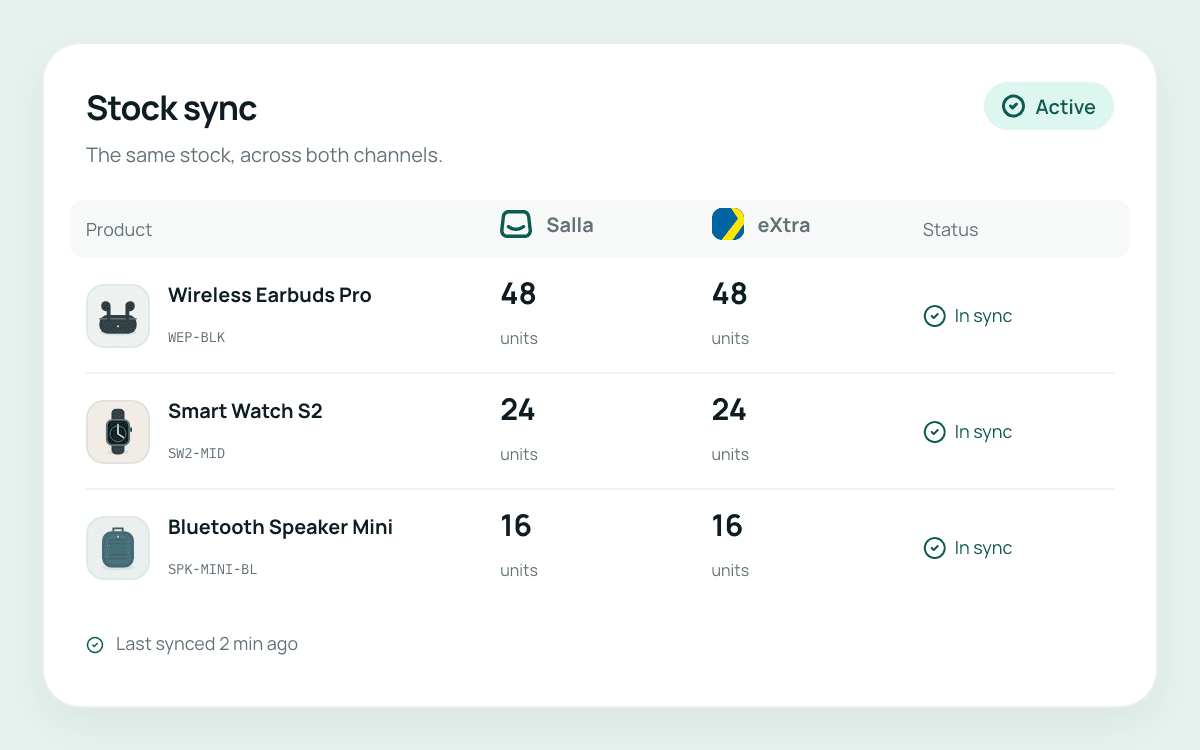
Keep the quantities for connected products aligned, reducing the need to update each system separately.
Apply your price rules to matched seller offers instead of re-entering the same changes in separate systems.
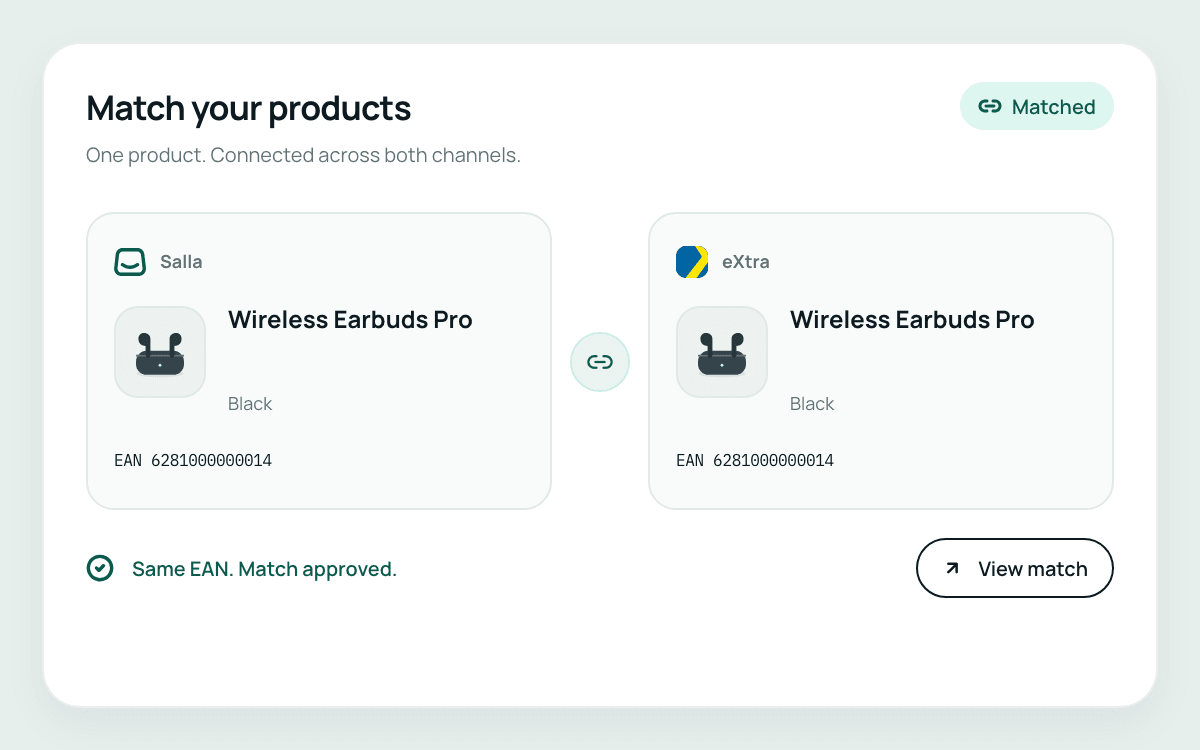
Stock and price updates need to apply to the right item. Liin uses EAN and other trusted identifiers to match products and variants between the connected systems. For eXtra, a seller offer must relate to the correct existing catalogue product.
The first connection is being tested around a seller’s existing Salla store and eXtra Mirakl account.
Start with your Salla store and your own eXtra seller account, with the necessary platform access.
Import the products and seller offers, then connect matching items using trusted identifiers.
Choose the stock and price rules for those products, alongside the order workflow supported by the first connection.
The first workflow connects a Salla store with the seller’s eXtra account through Mirakl. It is being built and tested; request a demo to discuss availability.
Yes. The first connection covers stock quantities and seller-offer prices, using the seller’s rules for connected products.
The first workflow imports Salla products and variants and matches items using EAN and other trusted identifiers. Accurate identifiers are important for linking the correct variant and offer.
Liin uses the seller’s rules to keep quantities for matched products aligned between connected systems. This reduces repeated manual updates. Accurate product identifiers and the agreed update behaviour remain important.
Liin focuses on connecting ecommerce systems and sales channels. This page covers stock and price synchronisation for the first connection, rather than a full warehouse or accounting system.
Tell us how you update stock and prices today. We’ll walk through the first connection and review the products, rules and operational requirements for your store.