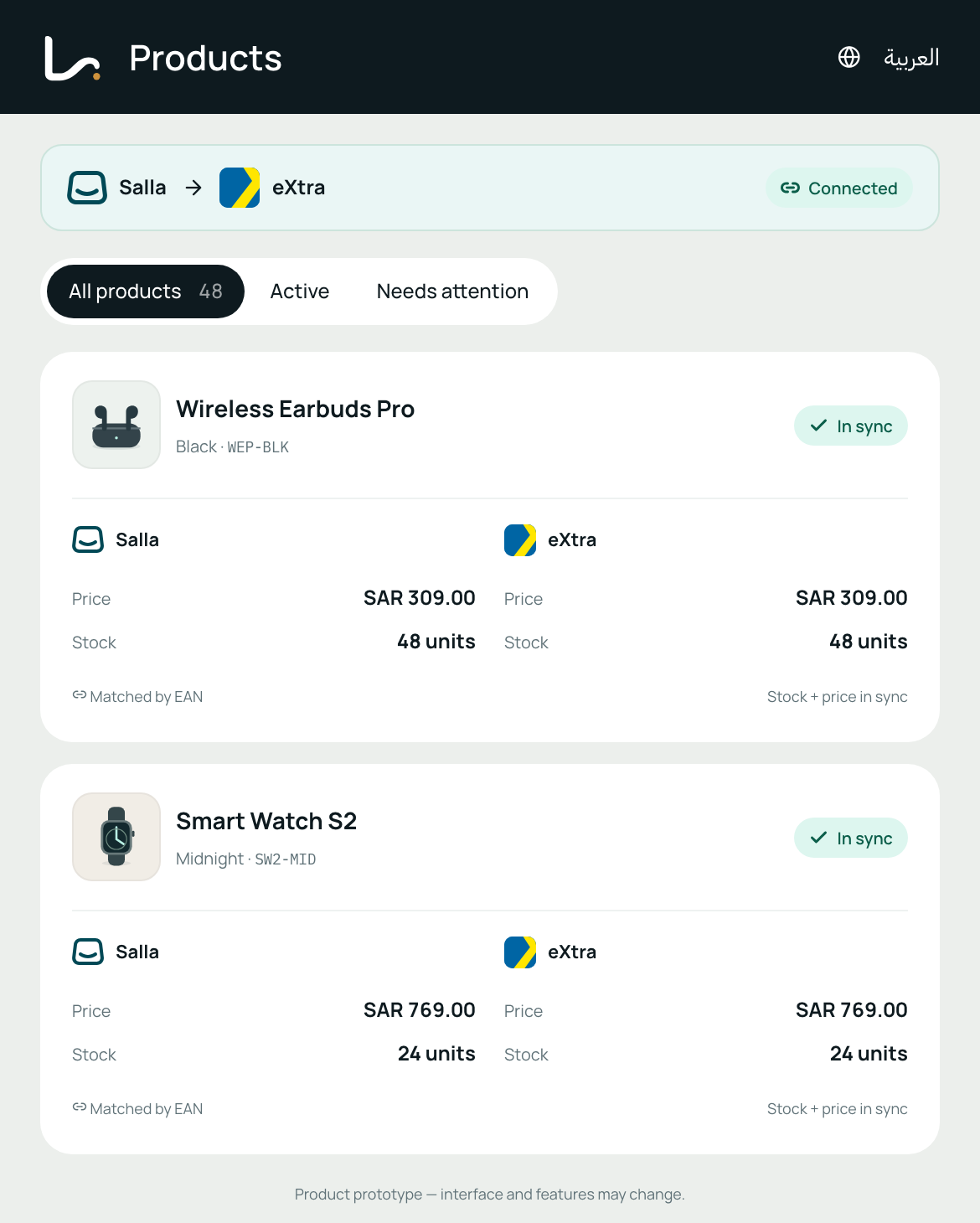



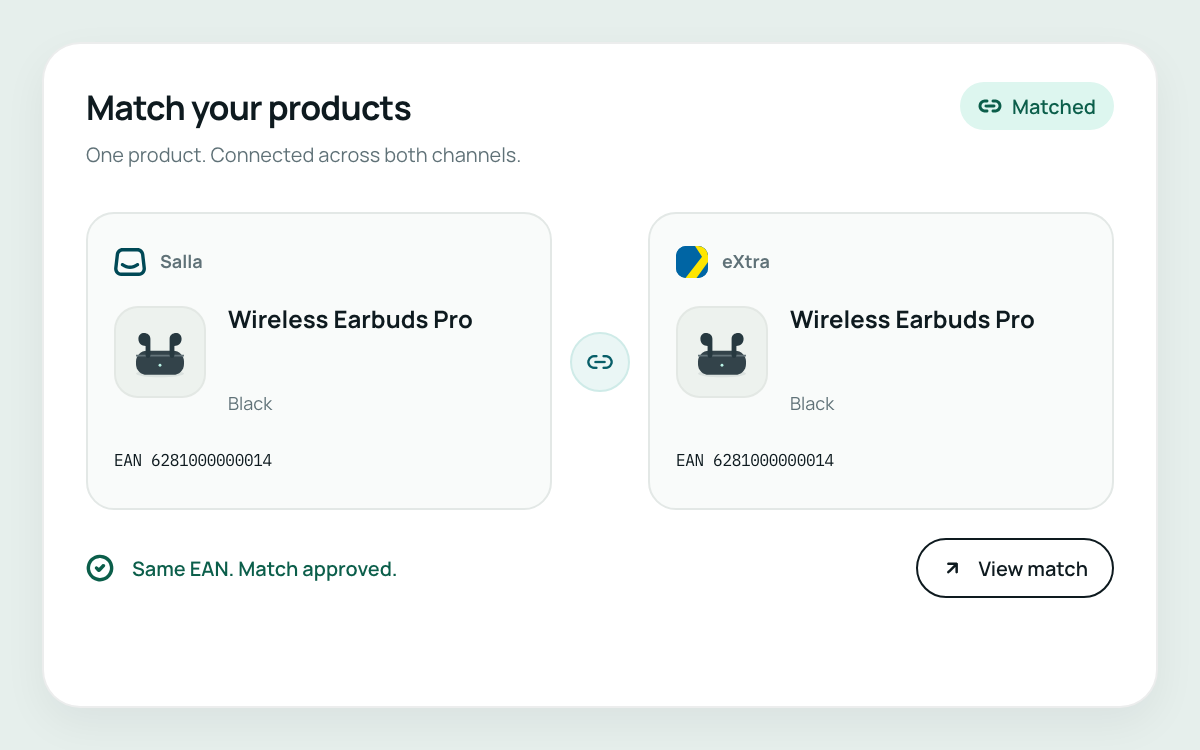
Product and variant matching
Match products and variants using EAN and other trusted identifiers, so each item is linked to the right marketplace catalogue product.
Ecommerce and marketplace integration for Saudi sellers
Liin brings connected products, stock, prices and orders into one workspace, so your team can spend less time repeating updates across systems.
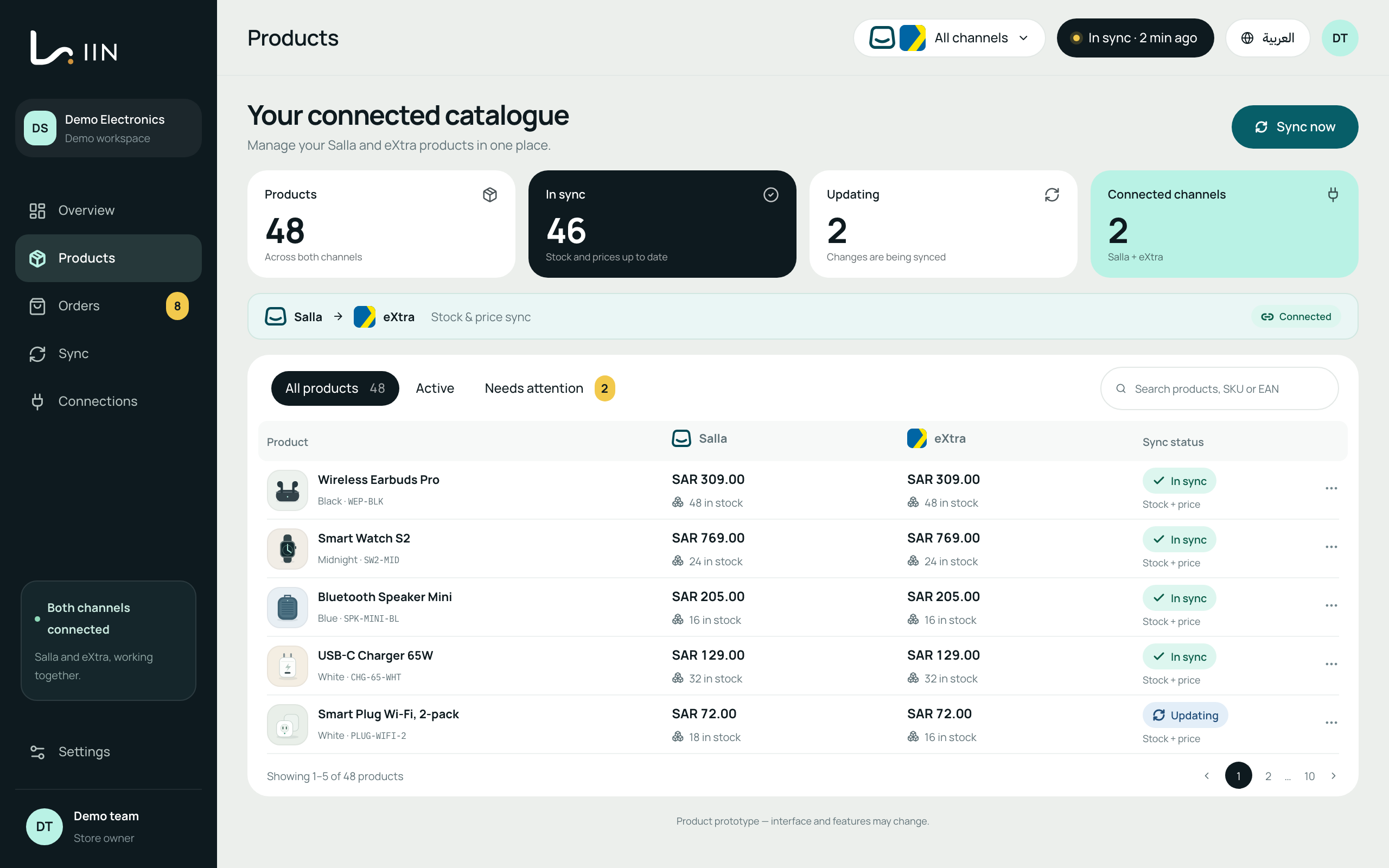
Bring the daily work of selling across platforms into a connected workflow. The first Salla–eXtra connection is being tested across these tasks.
Match products and variants using EAN and other trusted identifiers, so each item is linked to the right marketplace catalogue product.
Bring the daily work of selling across platforms into a connected workflow. The first Salla–eXtra connection is being tested across these tasks.
Match products and variants using EAN and other trusted identifiers, so each item is linked to the right marketplace catalogue product.
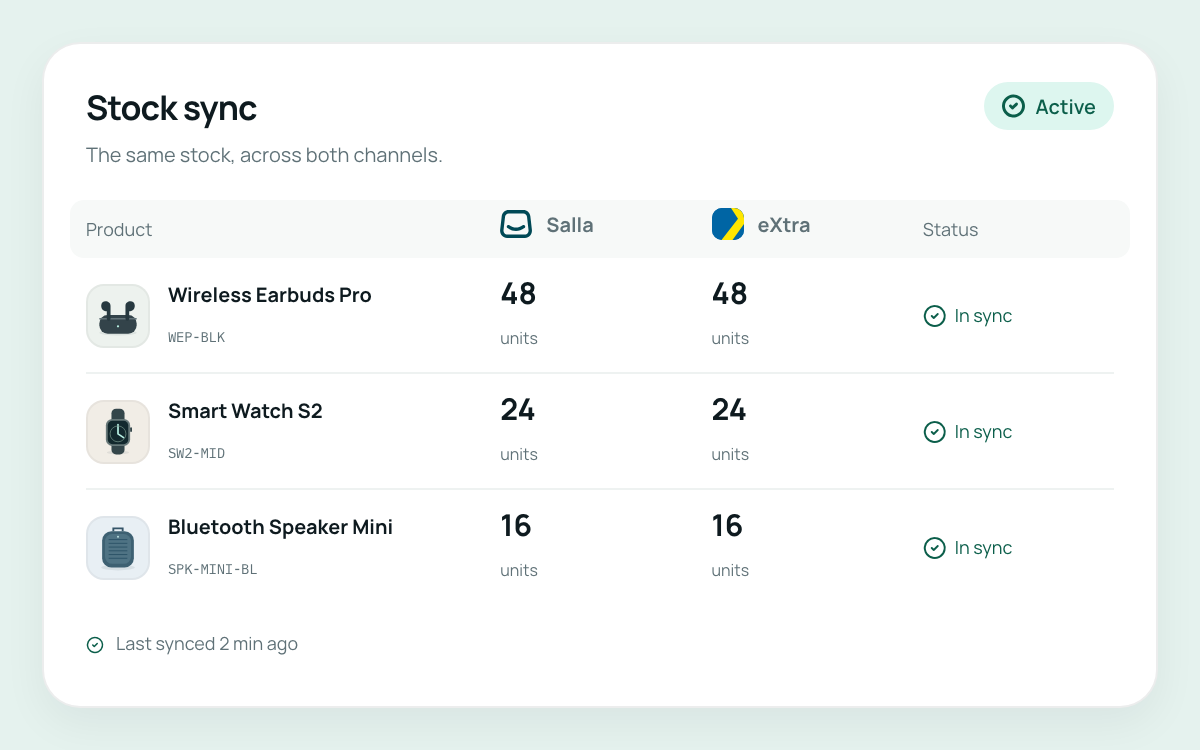
Keep stock levels for connected products aligned according to the rules you set, with fewer updates to enter separately.
Explore inventory synchronisation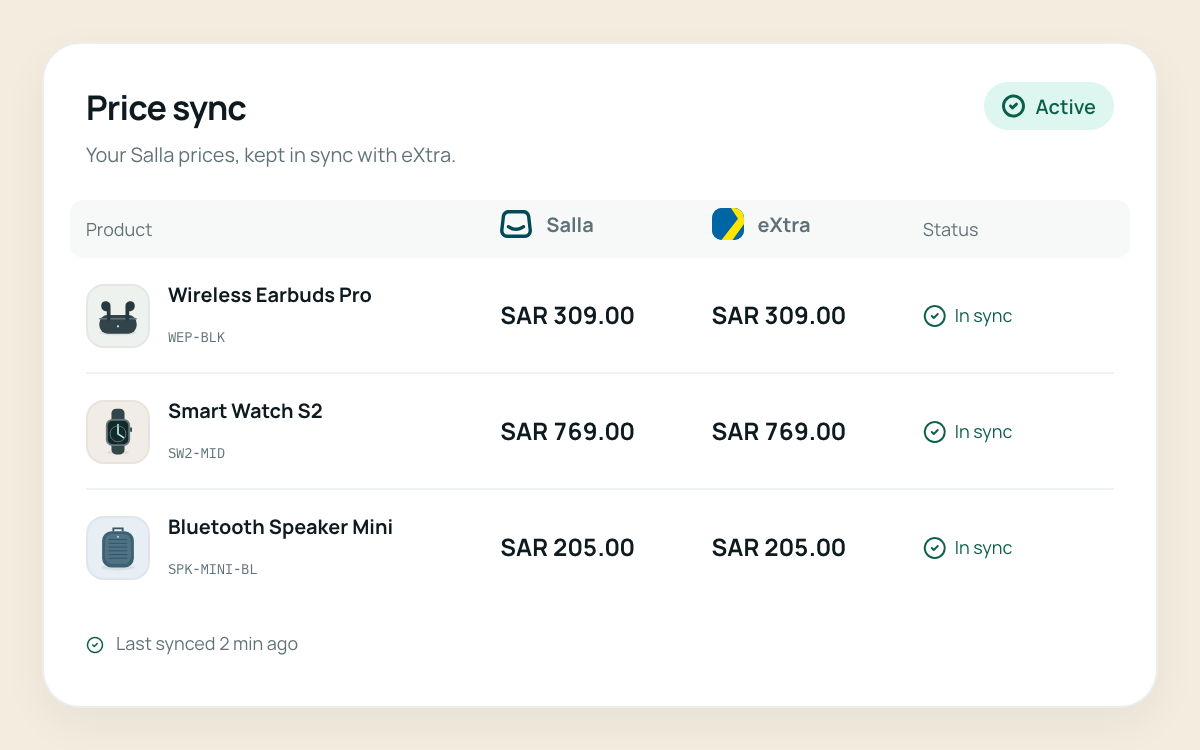
Update seller-offer prices across connected systems according to your rules, instead of re-entering the same changes on each platform.
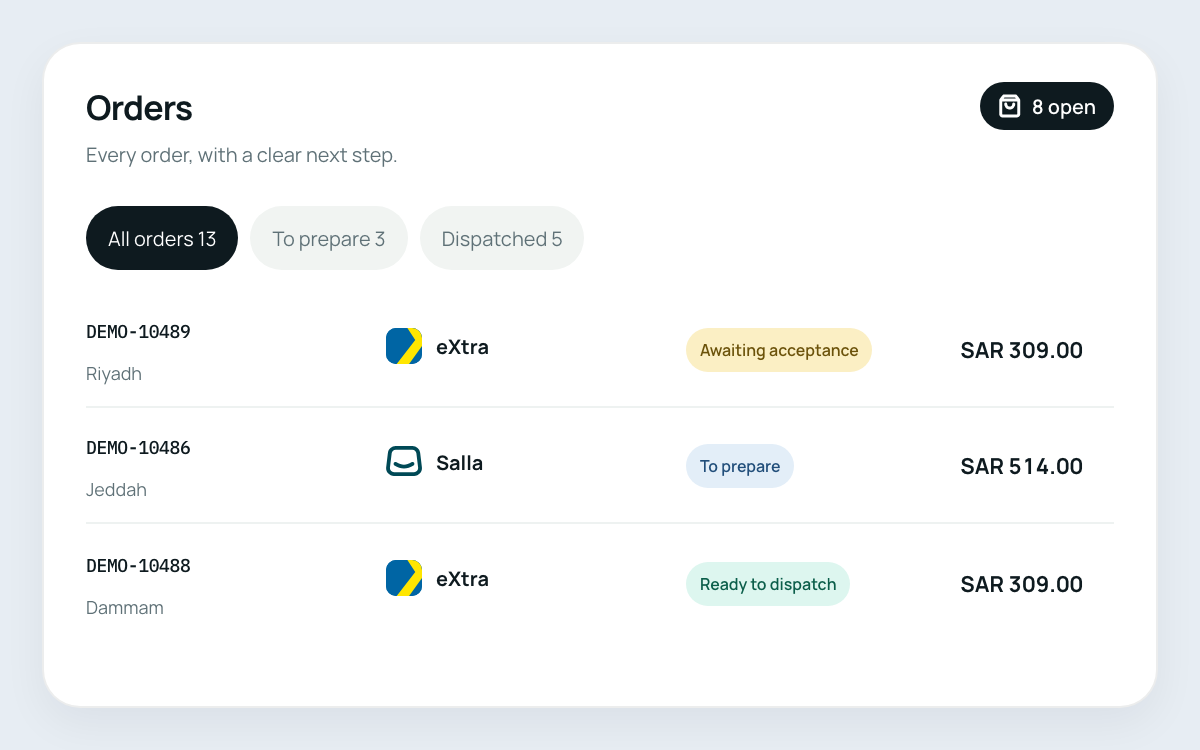
Bring connected marketplace orders into one view and manage the next steps from the same workspace.
Explore connected order management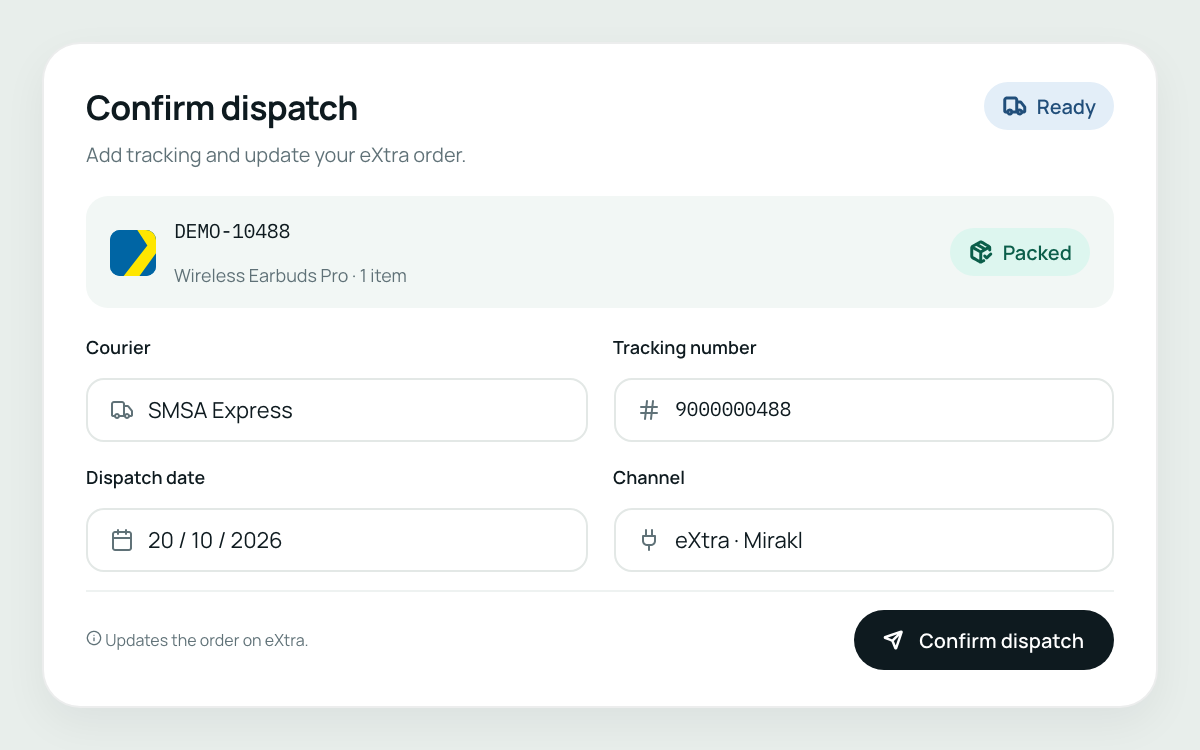
Follow delivery responsibilities, dispatch updates, shipment tracking and airway bills for connected eXtra orders.
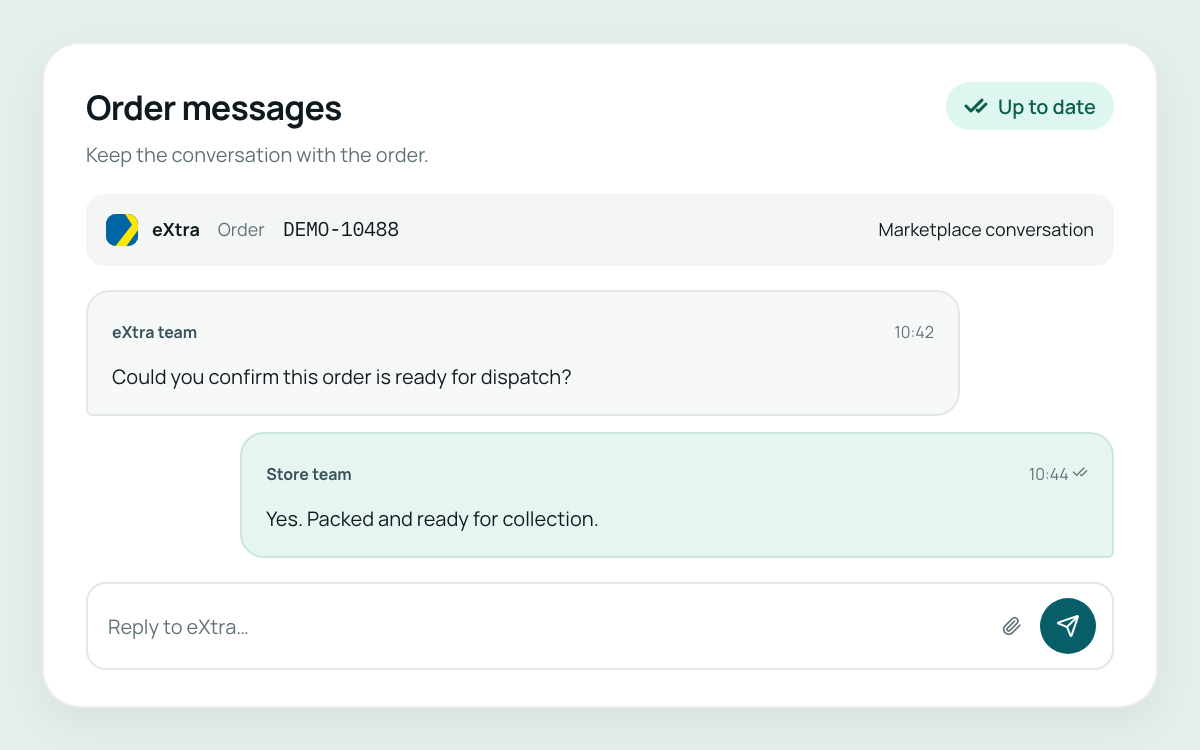
Handle eXtra customer messages alongside your marketplace order workflow, with less switching between systems.
We’re starting with the connection between your Salla store and your eXtra seller account through Mirakl. Import products and seller offers, match the right items, and manage stock, prices and orders through the connected workflow.
 Your Salla store

 Your eXtra seller account · Mirakl
An eXtra seller offer can be created when the matching product already exists in the eXtra catalogue.
The first workflow follows three steps.
Link your Salla store and your eXtra Mirakl seller account with the appropriate access for each platform.
Review product and variant matches using EAN and other trusted identifiers. For an eXtra offer, the matching catalogue product must already exist.
Choose how stock and prices should update, then follow connected orders and fulfilment from the same workspace.
The first connection being built and tested links a Salla store with the seller’s eXtra account through Mirakl. Request a demo to review the workflow and discuss availability for your store.
Yes. The first workflow connects your own Salla store and eXtra seller account. Seller registration, marketplace approval and platform access remain subject to each platform’s requirements.
You define rules for the connected products. Liin uses those rules to synchronise stock and seller-offer prices between the connected systems.
No. Liin matches your products against existing eXtra catalogue products and manages your seller offers. It does not copy eXtra’s protected catalogue images or product descriptions into Salla.
Returns and refunds are in development and are not part of the current connection scope.
More connections are planned as Liin develops. Supported platforms and availability will be confirmed as each connection is ready.
Tell us about your Salla store, eXtra seller account and day-to-day workflow. We’ll walk through the first connection and discuss availability for your setup.
Request a demoThe demo focuses on the first Salla–eXtra connection currently in testing.